

Cart is empty


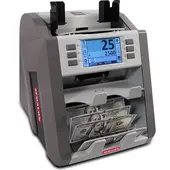 Semacon S-2500 Mixed Currency Discriminator & Counter
$2,275.00
View Product


The Hitachi iH-110F is a next-generation currency discriminator counter engineered for peak performance in high-security, multi-national cash environments. Designed for central banks, large cash centers, and international financial institutions, the iH-110F integrates unparalleled multi-currency handling with essential fitness sorting capabilities. This professional 2-pocket system ensures your cash flow is not only 100% accurate but also compliant with the highest quality standards for recirculation and ATM loading.
| Feature | Detail |
| Model Type | 2-Pocket Discriminator & Fitness Sorter |
| Counting Speed | 1,000 Notes per Minute (Fitness Mode) |
| Detection Suite | Full Color Dual CIS, MG, FL, IR, and UV |
| Currency Support | USD + Up to 40 Global Currencies |
| Hopper Capacity | 1,000 Notes (Industrial Grade) |
| Reject Capacity | 60 – 100 Notes |
| Weight / Dimensions | 14.5 kg / 300 x 320 x 345 mm |
No reviews found
Semacon S-2500 Mixed Currency Discriminator & Counter
 Hitachi iH-100 Bank-Grade Currency Discriminator
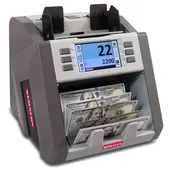 Semacon S-2200 High-Performance Excellence Mixed-Bill Discriminator Counter
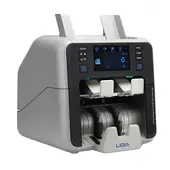 LIDIX ML-2VS-S High-Speed Perfection Mixed Currency Discriminator & Serial Number Cash Counter
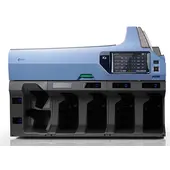 Kisan K-6 Mixed Currency Discriminator Sorter
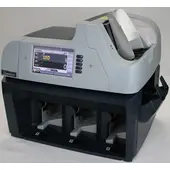 Hitachi ST-350 High-Speed Mixed Currency Discriminator
 Hitachi ST-350F High-Speed Fitness Sorter & Currency Discriminator
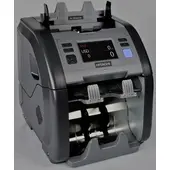 Hitachi iH-110 Global Multi-Currency Discriminator with Non-Stop Sorting
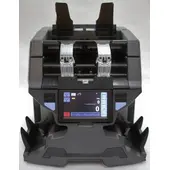 Hitachi iH-210F Premium Currency Discriminator, Fitness Sorter, & Multi-Currency Counter
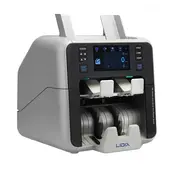 LIDIX ML-2VF High-Speed Currency Discriminator & Fitness Sorter
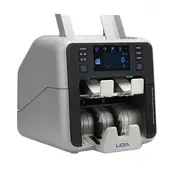 LIDIX ML-2VS Professional Multi-Currency Discriminator with Dual CIS
 LIDIX ML-1VS High-Speed Precision Currency Discriminator
ACE Business Machines provides sales, service, parts, and technical support for many leading money handling and office equipment brands. Select a brand below to learn more.
A standard bill counter is a "piece counter"—it tells you how many pieces of paper went through. A currency discriminator is a "value counter"—it uses digital eyes (CIS) to look at the bill, identify if it’s a $20 or a $100, and give you a total monetary value.
Yes. Standard counters usually only check for magnetic ink or UV glow. Discriminators use Image Recognition, meaning they compare the actual artwork and security features of the bill against a high-resolution database. This is the only reliable way to catch "supernotes" or bleached bills (e.g., a $1 bill reprinted to look like a $100).
This is one of the most searched terms.
Most modern discriminators come with "Multi-Currency" modes. Because they rely on image scanning, they can be programmed to recognize the distinct designs of Euros, Canadian Dollars, British Pounds, and Mexican Pesos, often handling them all in the same stack.
This is usually a sign that the "eyes" of the machine are dirty. Cash is incredibly dusty; we recommend using cleaning cards or a microfiber cloth weekly to wipe the sensors. If the sensors are blocked by dust, the machine can't "see" the bill to identify it.

10276 Foothill Blvd. Lake View Terrace, CA 91342


